If you use Mac computers, there is a neat trick that saves you time when sharing links to Nextcloud (actually I’m pretty sure it’s available for other operating systems too, Linux in particular).
Right-click on the name of any file in your Nextcloud virtual drive and you will see this:
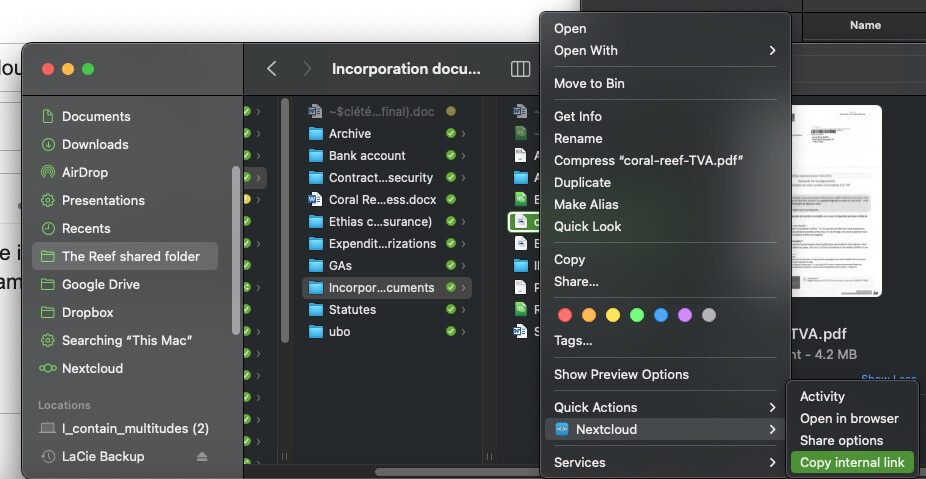
Files now have a Nextcloud item in the contextual menu. You can then click on Copy internal link if that’s what you want to do, or explore the other options.
How you activate this in Mac OS:
- Only works with the Nextcloud client installed, so start by installing it. I recommend having this anyway, as it maintains a synced local copy of all your files on Nextcloud.
- Go to
System settings => Privacy and security => Full disk access - Select
Nextcloud.
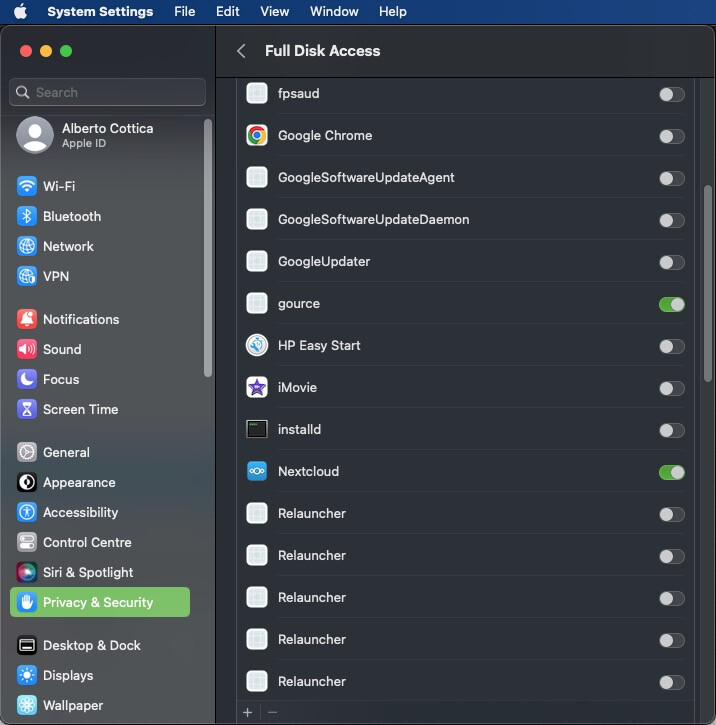
All done!  Please note that some updates of the Nextcloud client will turn this setting back off, and you will have to enable it again.